
Fill Vinted listings in seconds
The Vinting Chrome extension connects to your AI-generated listing library and fills Vinted's form automatically. No more copy-pasting titles, descriptions, prices, and categories.
Add to Chrome — Free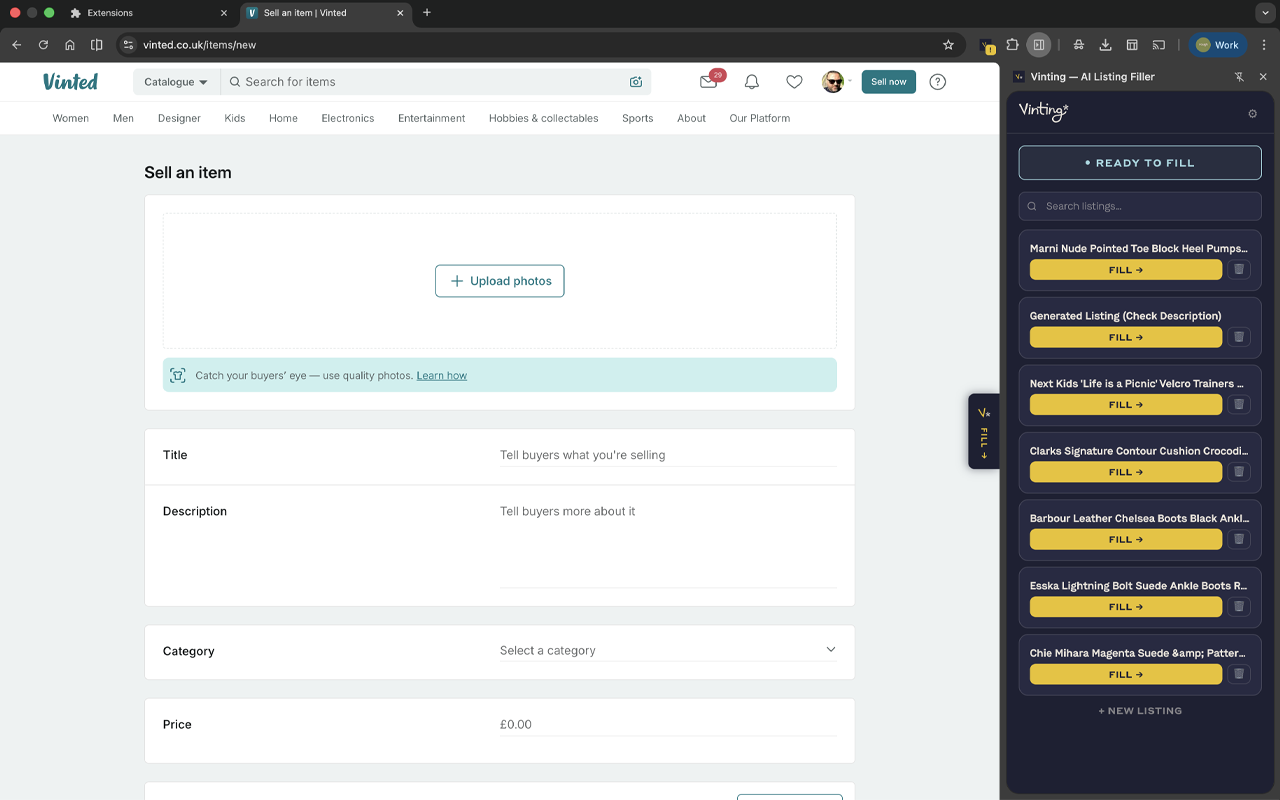
How it works
Generate listings on vinting.app
Upload your product photos and let AI create complete listings with title, description, price, brand, and category.
Install the Chrome extension
One click from the Chrome Web Store. Connect your free Vinting account — it takes 10 seconds.
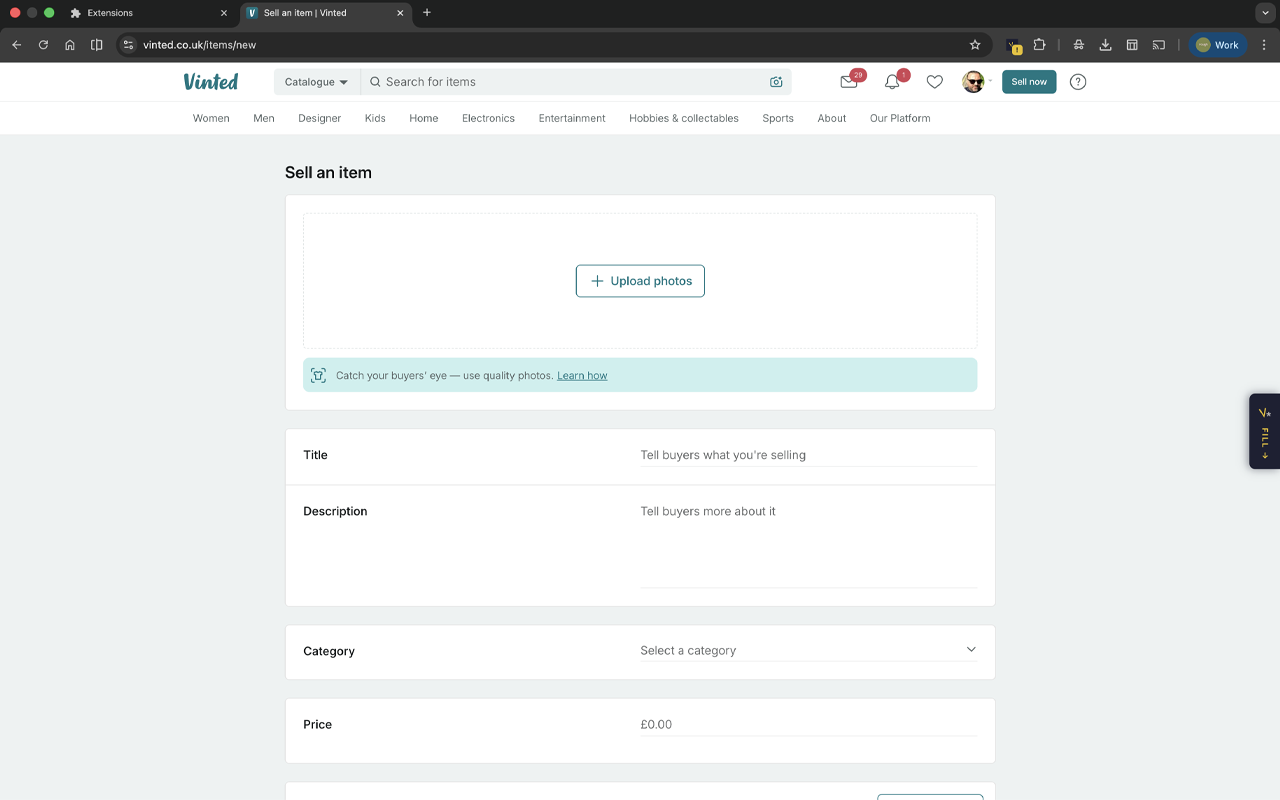
Open a Vinted listing page
Go to vinted.co.uk or vinted.com and click "Sell an item". The extension detects you're on a listing page.
Pick a listing and hit Fill
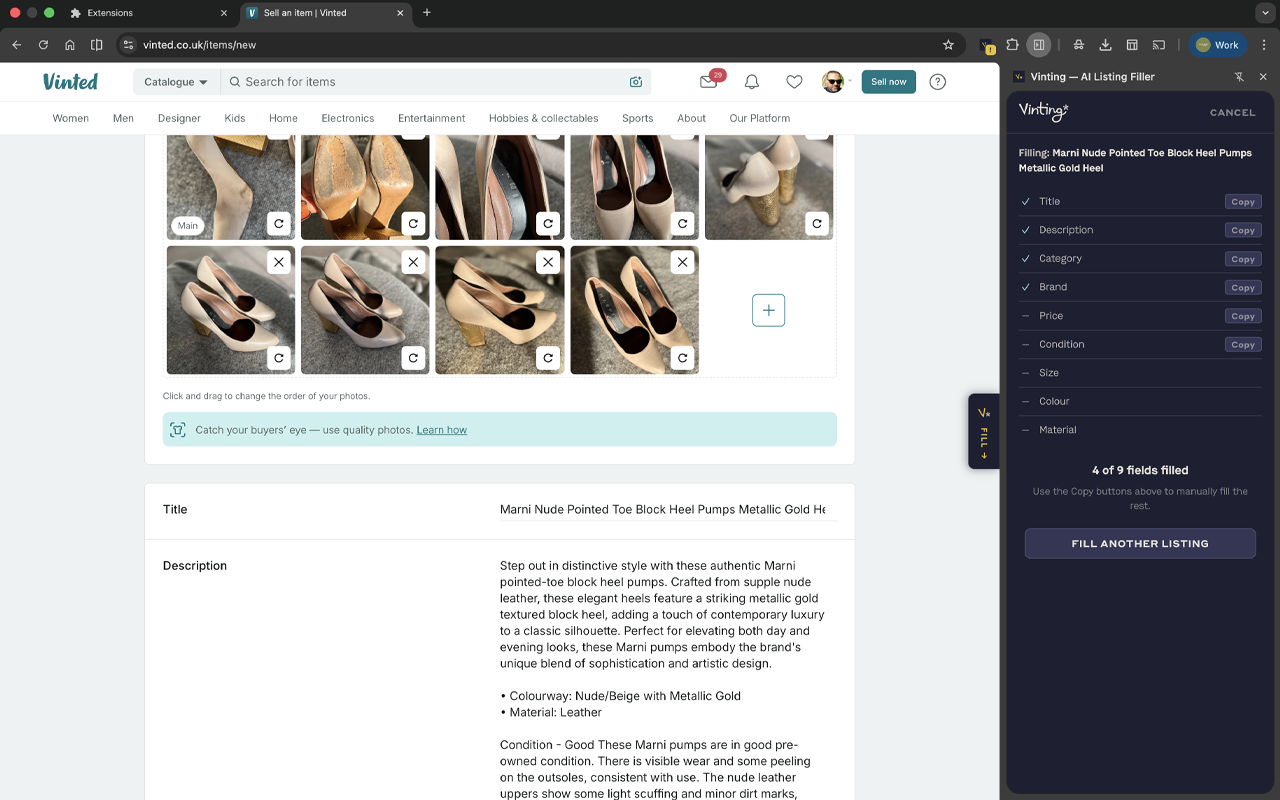
Open the side panel, choose a saved listing from your library, and watch the fields fill automatically with a smooth typewriter animation.
Review and post
Check the filled fields, tweak anything you like, and hit publish. What used to take 10 minutes now takes 30 seconds.
What gets filled
Title & description
AI-written copy optimised for Vinted search. Includes marketing paragraph, bullet facts, condition notes, and hashtags.
Price
Based on live eBay UK asking prices, with a clearly labelled planning adjustment. Guidance you can inspect, not invented sold-history data.
Brand & category
Automatically detected from product labels and photos. Matched to Vinted's category tree.
Product images
Your uploaded photos are transferred to the Vinted listing — no re-uploading needed.
Condition & size
AI assesses condition from your photos and reads size labels. Pre-filled and ready to confirm.
Keywords & hashtags
SEO-optimised keywords that help buyers find your listing in Vinted search.
Ready to list faster?
Generate your listings on vinting.app, then fill them into Vinted with one click.